How to Get a Copy of Your Own Scan Images
In the United States, HIPAA generally gives you a right to copies of your imaging — not just the written report. Here is who to ask, what to request (the study itself), and what to expect for format, wait time, and fees.
In the United States, HIPAA’s Right of Access generally lets you obtain a copy of your own health information, including diagnostic images such as X-rays, CT, MRI, and ultrasound — not only the written radiology report. Ask the facility that performed the exam (imaging department, medical records/HIM, or portal) for the complete study, preferably as DICOM files rather than JPEG screenshots. Facilities usually have up to 30 days to respond and may charge a reasonable, cost-based copy fee. This is educational information, not legal advice.
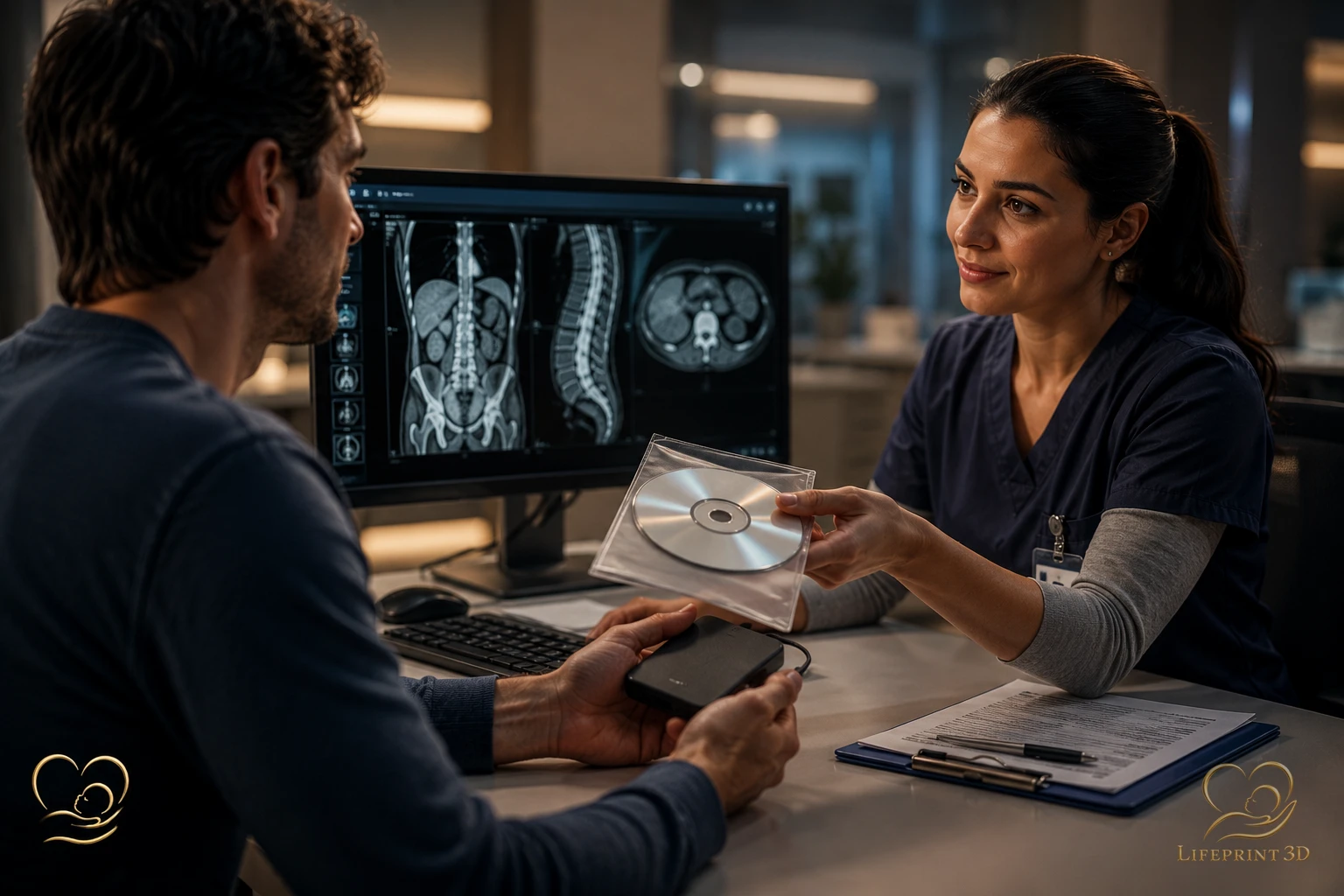
After a CT, MRI, or ultrasound, many people receive a PDF report or a few printed pictures and assume that is the complete record. The images a radiologist actually reviewed are usually stored as a digital study at the facility that performed the exam. This article explains, in plain language, how patients in the United States typically request a copy of those images — and why asking for the study itself, not only the report, matters. This is general education, not legal advice and not a substitute for your hospital’s written process or your clinician’s guidance.
You Have a Right to Copies of Your Imaging
In the United States, the HIPAA Privacy Rule includes a Right of Access: you generally may inspect or obtain a copy of protected health information about you that a covered entity keeps in a designated record set — typically your medical record. The U.S. Department of Health and Human Services (HHS) lists medical images, such as X-rays, among the kinds of information that right can cover. HHS also states, in a dedicated FAQ, that individuals have a right to copies of X-rays or other diagnostic images, in the form and format requested if the facility can readily produce that format. See 45 CFR 164.524 and HHS Office for Civil Rights guidance on individuals’ right to access health information.
That is a federal privacy rule, not a guarantee of instant delivery or every file type you might prefer. Covered entities may deny access in limited situations the rule describes, and they are not required to create new explanations that do not already exist in the record. Unpaid bills are not a valid reason to refuse access: HHS’s patient-facing page notes that you cannot be denied access for not paying a medical bill, though a reasonable copy fee may still apply. This page is not legal advice — state laws and facility policies still govern how you file the request.
Who to Ask
RadiologyInfo.org — patient education from the American College of Radiology (ACR) and the Radiological Society of North America (RSNA) — explains that image files are typically stored at the facility where you had the exam. That is usually the first place to start, not a later specialist’s office that only received a report.
Three desks commonly handle the request. The imaging or radiology department (sometimes called the film library or PACS desk) often burns discs or exports studies. The hospital HIM or medical records department processes formal release-of-information forms for the legal medical record. Your patient portal may already show the radiology report and, at some sites, a download or viewer for images — but many portals show the report and not the full study.
You will typically need to sign a release form and prove your identity. Have the exam date, modality (ultrasound, CT, MRI, X-ray), body region, and the facility name ready. If you have an accession number or order number from the appointment paperwork, include it. If a parent, guardian, or personal representative is requesting on someone else’s behalf, ask HIM which authorization they require.
Ask for the Study — Not Only the PDF Report
The radiology report is the radiologist’s written interpretation. It is important for your clinical record, and it is often the file that appears first in a portal. It is not a substitute for the images. ACR/RSNA patient materials on radiology reports note that many people can now read reports online, while access to the actual image files is a separate request.
When you fill out the form, say that you want a copy of the imaging study or images — not only the report. Useful phrasing includes “complete DICOM study,” “all series from this exam,” or “the images used by the radiologist, not just the PDF report.” If you only ask for “my ultrasound pictures,” staff may hand you a few JPEG stills or a paper printout that look familiar but are not the full dataset.
Name the exam as specifically as you can (for example, “anatomy ultrasound on March 12” or “CT abdomen on June 3”). If you had more than one study the same day, list each one.
CD, DVD, Portal, USB, or Cloud
RadiologyInfo.org lists typical delivery methods: a CD, another electronic storage device such as a flash drive, and — rarely in the U.S. today — printed films, usually only for X-rays. Many hospitals still hand patients a disc with a built-in viewer. USB flash drives are increasingly common. Some health systems can push images to another facility over a network or offer a time-limited cloud download.
Patient portals are often the fastest way to see a report. They are less consistent for diagnostic-quality images. HHS encourages electronic access when a portal can provide it, and notes that large image files may affect how a copy is delivered. If the portal shows only a few preview frames, still request an export of the full study from imaging or HIM.
HHS guidance says you may request a particular electronic format if it is readily producible; otherwise the facility should offer an alternative you can agree to. Ask whether they can provide DICOM on USB or a secure download. RadiologyInfo.org still suggests keeping a copy on CD or flash drive even when an internet transfer is available.
DICOM Files Versus JPEG Screenshots
DICOM — Digital Imaging and Communications in Medicine — is the international standard for storing and exchanging medical images and related information. It is implemented on essentially all modern CT, MRI, and ultrasound equipment. A DICOM study is not one snapshot: it is typically a set of images (and, for many 3D ultrasound exams, a volume) plus metadata such as how the scan was acquired. Phone photos of a monitor, emailed JPEGs, and screenshot PDFs are convenient to look at, but they are 2D pictures. They usually drop the slice stack, the volume, and the tags another system needs to reopen the study correctly.
That difference matters if you later want a second clinical opinion or any use that depends on the original dataset. How a DICOM study can be turned into a physical model is explained in from DICOM to physical model; how 3D ultrasound captures a volume rather than a single still is covered in what is 3D ultrasound. If staff offer “pictures on a CD,” confirm whether those files are DICOM (often in a folder named DICOM, with a viewer application alongside) or only consumer image formats.
Typical Wait Times and Possible Fees
Under the HIPAA Privacy Rule, a covered entity must act on an access request no later than 30 calendar days after receiving it. If they need more time, they may take up to 30 additional calendar days if they give you a written explanation of the delay and a completion date within that first 30-day window. HHS describes 30 days as an outer limit and encourages faster response, especially when a portal can provide electronic access immediately.
Facilities may charge a reasonable, cost-based fee. HHS guidance lists labor for copying, supplies such as a CD or USB if you asked for portable media, and postage if you asked for mailing. Ask for an estimate first. Charges vary by facility; this article does not quote a dollar amount. Same-day pickup happens at some imaging centers for a recent exam; older archives can take longer.
If You Plan to Use the Images Later
Some people request a copy for a personal record, a second opinion, or — separately — to see whether a volume they already have can support an educational or commemorative physical model. LifePrint 3D does not perform scans and works only from imaging you already obtained in clinical care. What helps that kind of work is the same thing that helps most transfers: the study itself, preferably DICOM, including 3D ultrasound volume data when a volume was acquired — not JPEG stills. Printed photos and portal screenshots are usually not enough. A patient’s guide to the LifePrint 3D journey describes what to gather before an upload. You are entitled to a copy of your imaging regardless of what you do with it afterward.
References
HHS Office for Civil Rights — Individuals’ Right under HIPAA to Access their Health Information, 45 CFR § 164.524 (https://www.hhs.gov/hipaa/for-professionals/privacy/guidance/access/index.html).
HHS — Do individuals have a right under HIPAA to get copies of their x-rays or other diagnostic images, and if so, in what format? FAQ 2059 (https://www.hhs.gov/hipaa/for-professionals/faq/2059/do-individuals-have-a-right-under-hipaa-to-get-copies/index.html).
HHS — How timely must a covered entity be in responding to individuals’ requests for access to their PHI? FAQ 2050 (https://www.hhs.gov/hipaa/for-professionals/faq/2050/how-timely-must-a-covered-entity-be/index.html).
HHS — Get it. Check it. Use it. (patient Right of Access) (https://www.hhs.gov/hipaa/for-individuals/right-to-access/index.html).
RadiologyInfo.org (ACR / RSNA) — How to Obtain and Share Your Medical Images (https://www.radiologyinfo.org/en/info/article-your-medical-images).
DICOM Standard — About DICOM: Overview (https://www.dicomstandard.org/about).
Key Takeaways
- In the United States, the HIPAA Privacy Rule includes a Right of Access: you generally may inspect or obtain a copy of protected health information about you that a covered entity keeps in a designated record set — typically your medical record.
- RadiologyInfo.
- The radiology report is the radiologist’s written interpretation.
- DICOM — Digital Imaging and Communications in Medicine — is the international standard for storing and exchanging medical images and related information.
- Under the HIPAA Privacy Rule, a covered entity must act on an access request no later than 30 calendar days after receiving it.
Frequently Asked Questions
Can I download my ultrasound images from the patient portal?
Sometimes the report is there and the images are not. Portals vary. If you only see a PDF report or a few preview frames, ask the imaging department or medical records for a copy of the full study — preferably DICOM.
Is a PDF of the radiology report the same as a copy of my scan?
No. The report is the radiologist’s written interpretation. The study is the actual image set. Ask for the images or complete study, not only the report.
How long does a hospital have to give me my images?
HIPAA’s outer limit is 30 calendar days after the covered entity receives the request, with one possible 30-day extension if they send a written delay notice in time. Many sites are faster, especially through a portal. This is not legal advice; follow the facility’s written process.
Will I have to pay for a copy?
Possibly. HIPAA allows a reasonable, cost-based fee for copies (for example labor to copy, a CD or USB if you requested portable media, and postage if mailed). Ask for an estimate. You should not be denied a copy of your own records solely because a medical bill is unpaid.
What is DICOM, and why should I ask for it?
DICOM is the standard format hospitals use to store CT, MRI, ultrasound, and other imaging with the data needed for clinical use. JPEG screenshots are pictures of the screen; they usually cannot replace the original study.
Who do I call first — my doctor or the imaging center?
Start with the facility that performed the exam: imaging/radiology or the HIM/medical records office. Your referring clinician’s office may only have the report. RadiologyInfo.org notes that image files are typically stored where the exam was done.
Related articles
Glossary · Frequently asked questions · All Learning Center articles